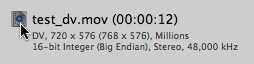
I purchased RoadMovie from the Mac App Store but it’s crashing when I launch it. What’s up?
RoadMovie is using QuickTime for video decoding/encoding. Some old QuickTime components aren’t compatible with the new sandboxing rules that Apple forces us developers to use these days. Our fellow friends at Boinx software has developed a little utility app that will help you find and clean out those incompatible components. Download SandboxCleaner here and look for “Components That May Cause Problems”.
Why is the Submit button disabled when I add an MKV file?

RoadMovie needs to load the MKV file completely before it can be find any internal subtitle tracks. If you are not interested in finding such subtitle tracks you can turn off this feature in Preferences…

The add button will now be enabled as soon as RoadMovie has built a preview image for the MKV file.
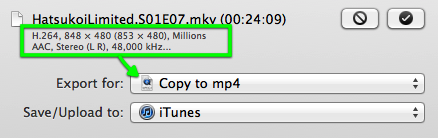
Why do I need to re-encode an MKV file that already has a H.264 video track and a AAC audio track?
You don’t! If the video and audio track in the MKV file is already in the proper format for your iDevice (say an iPad or an iPhone), you can use the “Copy to mp4” preset in the Generic presets group. RoadMovie will passthrough the tracks without re-encoding to a new .mp4 container.
When I try to open any movie RoadMovie crashes? I’m running 10.7 Lion!
It seems like the 3ivx QuickTime component isn’t working with 10.7 Lion. Please remove all 3ivx files from your home/Library/QuickTime and /Library/QuickTime folder and relaunch RoadMovie.
Please consider removing other obsolete QuickTime Components: FFusion, Xvid Delegate, 3ivX, DivX, DivX Decoder, XviD, msmpeg4v1, msmpeg4v2, AviImporter, EX_M4S2, Casio AVI Importer, AC3 Codec, and MatroskaQT.
How do I watch subtitled movies on my Playstation 3?
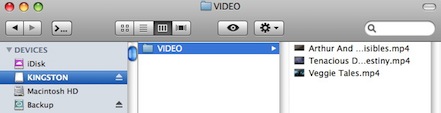
Use the new Playstation 3 Presets that came with RoadMovie 1.5. Put you subtitled MPEG-4 movie on a memory stick or an external hard drive in a folder called VIDEO. That’s it!
How do I work with MKV, AVI or DivX files?
Download and install Perian.
I can see video but I can't hear any sound?
Download and install Perian.
How do I work with Windows Media (WMV) files?
Download and install the Windows Media QuickTime component Flip4Mac.
RoadMovie is crashing when I click the Media browser button in the mail toolbar!
Seems like there is a conflict between the iMediaBrowser framework and an app called TotalFinder. Turn off TotalFinder and it will work. (Thx Brent for the tips).
When I try to export a movie I get the error, “The movie contains an incorrect time value”. Why?
The movie timetable is corrupted! Some old version of FFMPEGX was famous for corrupting movie timetables this way. Unfortunately there’s nothing to do to fix it.
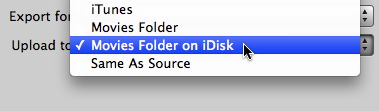
How do I upload videos to my iDisk?
First add your iDisk as a Destination.
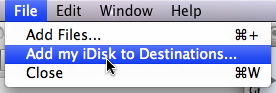
Then just select that Destinations when exporting.
How do I transfer videos to my Sony PSP?
Make sure you have the latest PSP firmware. Mount your PSP memory stick using USB or a memory stick reader. Make sure you have a folder named VIDEO at the root level of the memory stick. If not, you need to format your memory stick. Export your movie using the PSP preset and save it to the VIDEO folder on the memory stick. Done! You can also create a Destination that points directly to the VIDEO folder on the PSP so you don't even have to move them in there manually.
How do I find a source file in Finder?
Just click it's icon and it will be revealed in Finder.