


In Audio & Video, select your desired language from the Subtitle Language menu.

In this case we select Swedish.
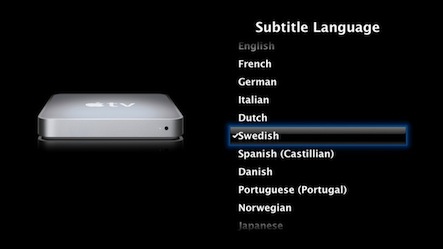
This is how a soft subtitles movie looks. Great!

You can change language while watching by pressing and holding the center button on the remote.
